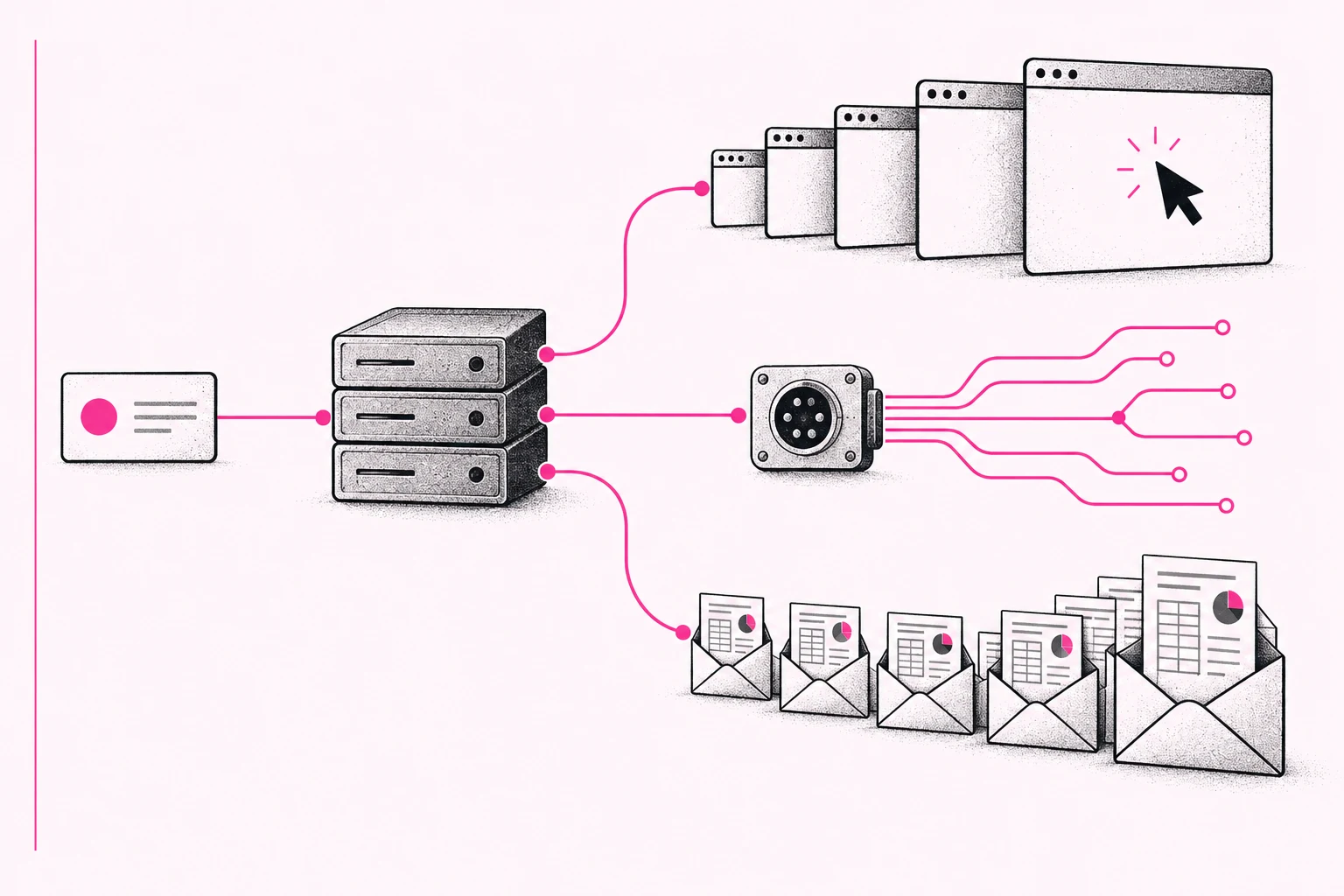
In my previous article about SaaS, I wrote that I pay for tools whose interfaces I rarely open. An agent uses them for me. The service still does its work. But what happens to its economics when one customer starts requesting much more work for the same price?
For someone building a new product, that raises a second question: what should customers buy so they understand the price and heavier use benefits both sides? I will first look at the change in usage, then at how to reflect it in an offer.
One customer can request more work
My second brain in Notion illustrates the change in how I use a service. I ask an agent to save a finding, look up connections, and update a record. I am still one customer. But one sentence can trigger several searches, reads, and writes. I pay the model provider for the model; Notion still handles its part of the work.
To illustrate the volume, take a hypothetical automation. It runs every five minutes, around the clock, and makes six API calls each time:
288 runs a day × 30 days × 6 calls = 51,840 calls a month.
The average is only 1.2 calls a minute. It still adds up to more than fifty thousand operations a month. This is not a measurement of my usage or a typical Notion customer. One MCP tool call also does not necessarily equal one API request.
As of October 2, 2026, Notion lists 600 requests per minute per connection for Business and Enterprise plans, averaging 10 per second. Other plans get 180 per minute, averaging 3 per second. A shared workspace limit also applies. A low average therefore does not guarantee that bursts and other integrations will fit.
Integrations and automations have existed for years. My bet is that agents will make intensive usage accessible to more customers. Subscription counts may then tell us less about how much work an application does for them. More operations alone do not establish higher costs, lower margins, or a need to raise prices. That requires data from the actual operation.
Count work outside the public API, too
An agent can operate an application through a browser. The SaaS product still searches, saves changes, and prepares exports. The agent operator pays for the model and browser; that does not remove the application’s own costs.
Browser use does not automatically bypass quotas. GitHub includes both its website and REST and GraphQL APIs in certain secondary content-creation limits. Raising prices only for the API may encourage customers to take another route. Whether they save money also depends on the cost and reliability of browser operation.
Sometimes the agent does not operate the application at all. It processes reports delivered by email. Power BI, for example, supports scheduled report and dashboard subscriptions, listing up to 24 per report or dashboard subject to permissions, licensing, and capacity.
If the agent reads the same messages a person already received, the source service may do no additional work. The change comes when the customer requests more outputs. In a hypothetical example, we move from one summary a week to twenty variants a day. Over four weeks, that is 4 summaries versus 560 reports: 140 times as many outputs. It does not mean 140 times the cost.
Distinguish a new calculation from another download or a distributed copy. Twenty different reports may cost something different from twenty copies of one file. Conversely, a structured output or change notification may replace repeated polling and reduce usage.
What providers already measure and sell
Google announced a quota model for Workspace APIs and agent tools, including planned paid overage. As of October 2, its documentation still describes billing later in 2026 after 90 days’ notice. It gives neither unit prices nor confirmation of a general rollout. Google estimates that fewer than 1% of active Workspace developers will exceed the standard tier. That is the vendor’s estimate for developers, not end users.
The Drive API already weights operations differently:
| Operation | Quota units |
|---|---|
Read an item, such as files.get |
5 |
Edit an item, such as files.update |
50 |
List items, such as files.list |
100 |
Download, such as files.download |
200 |
A download consumes 40 times as many units as the read listed here. That is not a measurement of Google’s costs. It shows why request counts alone may be insufficient for managing consumption. Planned billing will run through the integration’s Cloud project, so you need to know who operates it and who will bear the cost.
Other providers also have ways to manage automation. Salesforce described buying additional capacity in November 2024, including another 10,000 API calls a day. Linear increases limits for workspace OAuth apps using Actor Authorization based on paid users and measures GraphQL query complexity. People can therefore remain the pricing unit while also determining capacity for their automations.
Watch usage when you put an agent to work
As a user, I would watch what the agent runs. It can quickly issue more database queries, upload more data, or call more services than I could manually. Some of that work may be unnecessary. I want a usage overview and alerts when spending reaches agreed levels.
An alert and a cap serve different purposes. A message tells me usage is rising. Limiting the budget requires a rule that stops further paid work or asks for approval. I need to know where each rule applies, including downstream services the agent calls.
How to compare pricing units
I have not chosen a unit for a product of my own yet. I would bring in someone who works on pricing and research current offers and customer behavior in depth. Experience with software pricing is useful, but intensive use through agents adds new questions. I treat the options below as candidates to test.
I would start with the work the customer buys. They may understand a processed page, a search with a defined scope, or a monitored entity and check frequency. The offer also needs to explain exceptions: a hundred-page scan, a deeper search, or a retry.
Credits can translate different operations into one unit. Firecrawl, for example, lists one credit per page for a basic scrape, two per ten search results, and two per minute of browser interaction. Customers still need to translate that into their own task. Internal costs may have a different structure from the unit on the invoice.
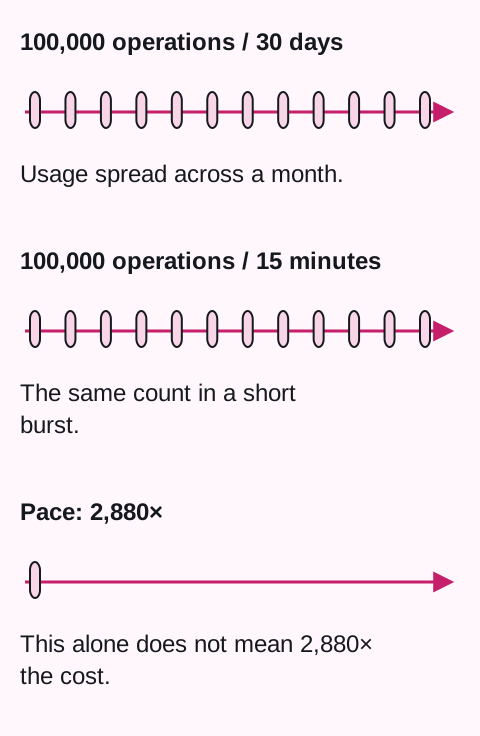
Alongside volume, I would separate processing speed and concurrency. One hundred thousand operations over a thirty-day month average about 2.3 a minute. The same volume in fifteen minutes averages about 6,667 a minute: 2,880 times the rate, not the same multiple of cost.
Browserbase illustrates the distinction. Its $20-a-month Developer plan includes 100 browser hours, additional hours at $0.12, and 25 concurrent browsers. Startup at $99 includes 500 hours, additional hours at $0.10, and 100 concurrent browsers. This is part of an offering with other metered services. Modest monthly volume can still require substantial capacity for a short burst.
An outcome and a failed attempt are different units
Outcome pricing is close to a customer’s goal, but it needs a precise definition. Fin lists $0.99 per billable outcome; the base plan described for an existing helpdesk costs $49 a month and includes 50 resolutions. Outcomes also include configured procedure handoffs to a human. Resolutions may be confirmed or assumed when the customer does not ask for more help. If they return to the same conversation for further help, the documentation describes deducting that resolution.
Rules like these matter more than the name of the pricing model. Customers need to know whether they buy an attempt, runtime, or a finished output. If a system error repeats one task three times, it must be clear who pays. Repeated delivery of the same request also needs a rule so it does not silently create more billable work.
Show the price through one complete example
One option to test is a subscription with included volume and capped additional usage. A subscription alone does not cap the final bill. Firecrawl, for example, offers automatic purchases in five-dollar increments up to a set monthly limit on paid plans.
The following offer is entirely hypothetical, to explain billing. It is not a real product’s pricing or a recommendation of these amounts: CZK 500 a month includes 1,000 successfully processed pages. Additional pages cost CZK 0.50 each. The customer sets a total monthly cap of CZK 1,500; at that point, new pages wait for approval of a larger budget.
| Situation | What the customer sees |
|---|---|
| Normal month: 1,000 pages | A CZK 500 bill. |
| Ten times the volume: 10,000 pages | Without a cap, the bill would be CZK 5,000. With it, at most 3,000 pages are processed for CZK 1,500; the remaining 7,000 wait. |
| An error triggers more attempts on the same page | The offer charges for the successful output once. The provider bears the internal retry cost and limits the number of attempts. |
This model does not establish profitability or willingness to pay. It shows what customers need to understand before starting an agent. Both usage reporting and the API need to expose the remaining budget and pending work. A technical retry limit must also stop a faulty loop when the customer’s bill is not increasing.
A subscription is not the only option. Pay-as-you-go may suit occasional API use, and a prepaid commitment may fit stable high-volume demand. Per-user pricing may reflect human collaboration. I would choose based on the purchased value and operating costs, rather than the model’s popularity.
What I would check before launch
I would follow one customer task from request to invoice:
- Define the work. What counts as one unit or another? How do a new calculation, a copy, and a repeated request differ?
- Measure costs. Include normal and large inputs, failures, retries, and third-party services. Distinguish APIs, browser operation, and scheduled outputs.
- Calculate a normal month, growth, and a faulty loop. For each, establish revenue, costs, and the stopping point.
- Show the offer to a customer. Can they estimate their bill, and do they want to pay for this work? A cost calculation does not establish willingness to pay.
- Compare usage with the invoice. Check repeated requests and reversed charges, too.
If customers hesitate to start an automation because they do not know the bill, the offer and first product experience need work. I would want more intensive, useful usage to benefit both sides. Start with this question: what happens if my best customer connects an agent tomorrow and requests ten times more work?
The original article was published September 8, 2026; sources were checked again during the October 2 revision. The text separates the author’s experience, public service rules, and hypothetical calculations. The documentation does not establish the effect of external agents on provider margins. The proposed pricing and billing rules are the author’s interpretation.