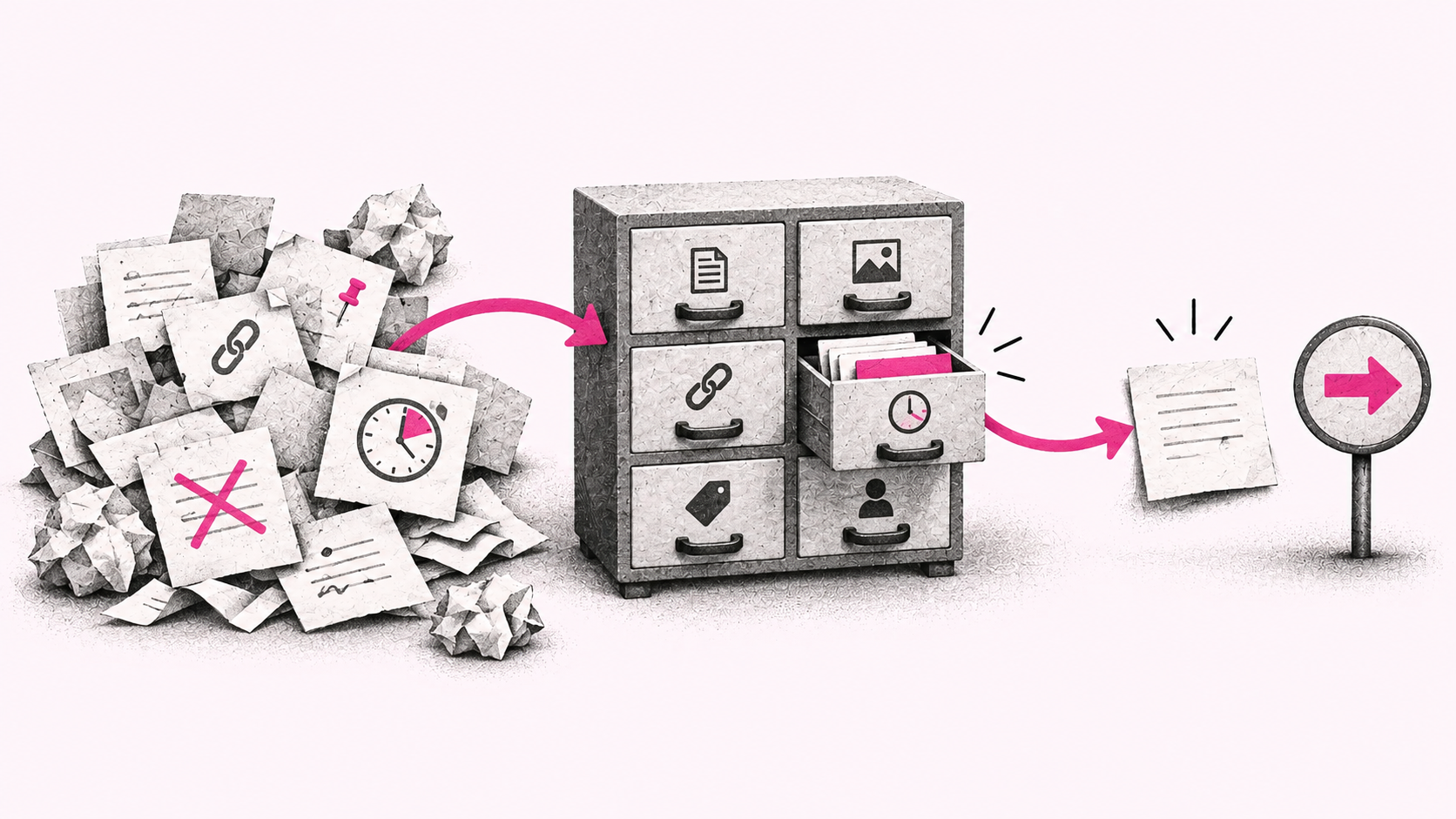
Let's first get clear on what a second brain actually is. You hear about it at conferences and on forums, and there are plenty of articles and videos about it. It's a much-discussed topic in the AI world. I think of a second brain as a library. Not the bookshelf on your wall at home, but a public library. You walk in, find the section you need and work your way through the shelves looking for information. Searching your documents, notes and decisions can work much the same way.
There are systems that let you search enormous amounts of information like this. But for a lot of people, and frankly a lot of small businesses, there's no reason to start there. Instead of using AI to do their work and move their business forward, they get caught up in choosing a vector database and wondering whether another technology would make the system even better. To me, that's bullshit. Unless I have a concrete reason for that complexity, it's not the approach I'd choose or recommend to my clients. A larger company with lots of processes and information may well need it. For many smaller businesses and individuals, though, it's overkill. So in this article, I'll walk you through how I gradually built my own second brain and how I think about it.
You already have the information somewhere
When I started working on the AI system I now call Radek OS, I wasn't sitting down with a sheet of paper to map out my own operating system. The whole thing grew pretty organically. I was using AI a lot, for all kinds of work. But I kept finding myself explaining something for a second time, clarifying an assignment again or pointing it to this document or that one. And honestly, I was getting tired of it. I didn't want to keep repeating things we'd already worked out together.
At the time, Notion was my main notebook. I kept client notes, personal stuff, meeting transcripts and other information there. Whenever I needed to write something down and actually decided to do it, it went into Notion. Alongside that, I had Gmail, Google Docs and Sheets on Drive, my own CRM and Slack. Between those tools, I could find practically everything I needed for work. If something wasn't there, chances were I simply hadn't written it down.
So my question was how to give AI access to all of this so it could work with it as quickly and effectively as possible. I didn't want to add another system or send it links to individual documents every time. I wanted to be able to say, “Hey, let's open the last two proposals we sent that client,” and go straight into reviewing and discussing them together.
How I set up the first version
I didn't want to choose a new app for this, so I went with the simplest, really the dumbest solution I had on hand. I created a section in Notion for my second brain. The appeal for me was its databases. I don't use them the way I use databases on client work or my own projects. I think of them more as Excel on steroids: somewhere I can build a content calendar, a CRM or a task list. For what I needed then, that flexibility and simplicity worked well.
I talked through what I needed with AI, had it go through my documents and Notion, and asked it to suggest how it would find its way around. I wasn't worrying about embeddings. One activity log became the foundation, recording what happened and what we'd decided. When we published an article, sent a client a proposal, changed something or deployed a new version. Other pieces gradually grew around it as we needed them in our work.
I never created a separate database of all my documents, because I didn't need one. I was building a second brain for myself, not a production system that had to retrieve information in a fraction of a second. And for internal use in many businesses, I think it's more useful to start by knowing who said what, what we decided when, and which changes actually happened. Having that record of decisions and activity mattered more to me than fine-tuning search technology from day one.
Connecting everything
For a second brain to work, the agent needs access to the documents and information you want to work with. It doesn't matter whether your tasks are in Asana, your notes are in Notion or you use something else entirely. If you want AI to access something, you have to give it access. There's no getting around that.
So the first step is to connect the tools you use through the available MCP connectors and plugins. I don't mean browser extensions here, but connections inside the AI tool itself. I personally use ChatGPT rather than Anthropic's tools, so I'm describing my own experience with ChatGPT. Fortunately, I already had the connections I needed set up.
Where read-only access is enough, give the agent read-only access. I also use AI to carry out work, so I enable write access where it's available. Then I use instructions to define what it can and can't do. For example, it can draft an email for me, but it can't send it. That's how I've set things up for the way I work with AI.
Once I had the connections and the initial structure in Notion, I had AI go through my conversations from the past two weeks and look through the documents. I wanted to reconstruct a log of what I'd been working on and what we'd decided. I could have gone further back, but honestly, I didn't feel like it. For what I needed at that point, it seemed unnecessary.
With the tools connected, a basic database structure in Notion and the log filled in, the first version was basically done.
The first version is just the beginning
At that point, my AI had access to documents, email and other systems, and I had a structure in Notion that matched how I wanted to use my second brain. All that was left was to start using it. Especially when you're building this for yourself, it's hard to find out whether it works any other way. You need to use the system over time and pay attention to the information it gives you.
If you're a freelancer or run a small business, you probably carry a lot of the context in your head. You know what you discussed with clients, what you agreed on and how the projects are going. So when AI gives you something you know is out of date, you'll usually notice. But I wouldn't want to stop at saying, “That's not right, find a newer document.” I also need to work through how to change its instructions, so next time it knows which source to use and how to make that choice.
For me, the whole system depends on this ongoing work on instructions. Connecting tools solves the technical problem of access, but it doesn't explain to AI how I work. It needs to know how to handle sources, which of our decisions still apply and what to take into account. If I only correct it in one conversation and none of that makes it into the instructions and knowledge it uses later, I'll keep explaining the same things again.
A company that needs to search large volumes of contracts and reliably find the latest valid revision of a particular agreement will have different requirements. The principle of working with rules still applies, but the scale, accuracy and approach to retrieval need different treatment. For everyday use by an individual or a small business, though, it makes sense to me to start with this simple setup and gradually guide the AI toward what I need from it at work.
Radek OS a few months in
I'm really happy with my AI system. It makes all kinds of work much easier, and I keep refining it. That doesn't mean I haven't struggled with it along the way. It's a living thing that needs attention, and it's only as good as the care I put into it.
It's also grown quite a bit over those months. Today, I'm dealing with long-term conversation storage, analysis of individual runs, token usage and process efficiency. That's well beyond the second brain itself. The second brain is still just one part of the larger system I call Radek OS.
In October 2026, I reached the point where I moved my operational databases from Notion to Supabase. I briefly considered BigQuery, which my agent could already access for data from marketing systems. But I also needed to sort out work running concurrently on two computers: one I use as a server and the other as my everyday work machine. Similar tasks can run on both at the same time. In the end, I chose Supabase for this part of Radek OS, and my current usage fits comfortably within its free limits.
One larger article-preparation run showed me the speed problem. My workflow includes several review rounds intended to improve the writing, so after a run lasting roughly fifteen hours, I looked at what had taken so long. How much was writing, how much was review, and how much was communication with the tools? It turned out that about five and a half hours had been spent communicating with Notion. That's a problem for this kind of work. Running more agents wouldn't, on its own, have helped, because they'd still have been waiting for reads and writes in Notion.
After the migration and related changes, I now budget roughly five minutes for comparable operations against Supabase, rather than the original five and a half hours. Those five minutes cover communication with the database, not the entire original run. Changing the storage alone didn't give me better outputs, but it significantly reduced the time spent working with stored information. I haven't properly measured the difference in token usage. If it has gone down, my estimate so far is that the reduction is very small.
But I don't regret starting with Notion. It's more natural for me to jump in, start using something, learn from mistakes and improve it as I go. If I'd started by trying to figure out the whole system and its ideal technology, I might just have gotten bogged down. Notion let me get started and discover what I actually needed through doing the work. Only when I hit a specific limit did I have a reason to migrate.
If you want to build a second brain for yourself and learn how to work with it, start with what you already have. Whether that's Notion or another tool. Even incomplete or messy data can be useful up to a point, and you can improve it over time. But if you have no source material, you've got nothing to build on. To me, it's better to start putting that material together as soon as you can and optimize the system along the way.
Are you figuring out how to build a second brain or an AI system around the way you or your business work? Get in touch. A half-hour coffee chat is free. I'd be happy to talk through what you already have, what you're working on and what you could improve. If I can help, I'd be glad to.